Auto Combo Scripts for The Strongest Battlegrounds
Ping-adaptive combos, auto block/counter, bots, and kill helpers—with clear account risk.
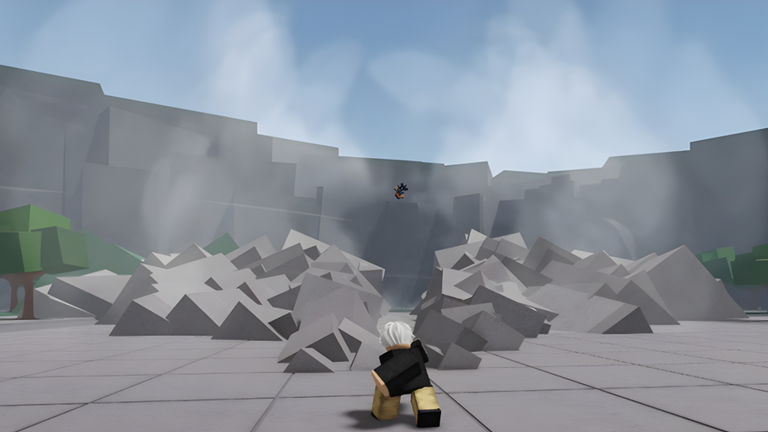
This page focuses on combat automation loadstrings for The Strongest Battlegrounds (TSB): Ping Adaptive Auto Combo v1, Auto Block n Counter, Auto Play Bot, and Auto Kill Player and more. These scripts try to press M1 strings, block windows, counters, and finishers for you. Before you paste anything, understand the trade. Scripts violate Roblox Terms of Service and risk warnings, temporary bans, or permanent account loss. Prefer human timing from Getting Started and the input map on Controls if the account matters. Setup order lives on How to Execute Scripts. Farm and hub utilities live on ESP and Utility Scripts. The index of every line is on the Scripts Hub.
Roblox ToS disclaimer (required reading)
Unauthorized executors, injectors, and automation that play the game for you are prohibited by Roblox. TSB is a skill fighter with a shared HP pool: wall conversions, dash discipline, and block reads are meant to be human. Auto combo and auto block scripts erase that skill check and raise report and detection risk in public and ranked lobbies. This wiki indexes circulating loadstrings for reference only. You alone own the ban risk. Never enter passwords, cookies, or session tokens into a key page. Prefer an alt you can afford to lose. After any Roblox or TSB patch, expect these lines to break without warning.
How this page is organized
- Copy the loadstring exactly into a current executor after you join TSB (see How to Execute Scripts).
- Run one combat script at a time. Do not stack Ping Adaptive Auto Combo with Auto Block n Counter plus a 90-feature hub from ESP and Utility Scripts—double binds and client crashes are common.
- Test in a private or quiet server first. Public lobbies report automation aggressively.
- If the GUI never opens, the remote likely changed; do not spam HttpGet on every death.
- When you want real improvement instead of automation, drill M1, dash, and block on Getting Started and Controls.
Ping Adaptive Auto Combo v1
This line is the primary auto-combo helper people search for when their ping makes manual fourth-hit links feel random. It attempts to adjust combo timing to latency instead of using one fixed delay.
loadstring(game:HttpGet("https://rawscripts.net/raw/The-Strongest-Battlegrounds-Ping-Adaptive-Auto-Combo-v1-241248"))()Usage notes. Join TSB, inject once, paste the line, execute once. Open any on-screen toggles the script creates before you chase a target. High packet loss still desyncs server-sided forward dashes even if the script “adapts.” After character swaps or awakening, re-check that the module still binds to your current kit. If nothing happens, confirm you are in the live experience and that your executor still supports HttpGet / loadstring. Pair study—not stacking—with the human wall timing on Guides Hub wall pages so you understand what the bot is trying to fake.
Auto Block n Counter
Auto Block n Counter watches incoming pressure and tries to hold block or fire a counter response for you. That is exactly the skill TSB defense guides teach by hand.
loadstring(game:HttpGet("https://rawscripts.net/raw/The-Strongest-Battlegrounds-Auto-Block-n-Counter-148176"))()Usage notes. Run alone, not under a second combat script. Auto-hold block often loses to unblockables, throws, and mix that human players solve by releasing F and moving—see legitimate habits on Getting Started. If the script false-triggers during your own M1 string, turn the toggle off before you practice neutral. Expect louder reports in ranked than in casual lobbies. Learning real F-block timing on Controls remains the only ban-safe path.
Auto Play Bot
Auto Play Bot aims at fuller match automation: movement, engagement, and basic combat loops so the client keeps “playing” with less input.
loadstring(game:HttpGet("https://rawscripts.net/raw/The-Strongest-Battlegrounds-Auto-Play-Bot-223030"))()Usage notes. Full bots are the highest social-report category in fighter lobbies. Use only on accounts you accept losing. Watch for infinite dash loops, walking into voids, or stuck block states after a patch. Stop the script and rejoin if the character soft-locks. Do not AFK ranked with a bot—Elo systems and player reports stack consequences. If you only wanted combo assists, prefer Ping Adaptive Auto Combo instead of a full play bot.
Auto Kill Player and more
This loadstring markets auto-kill helpers plus extra toggles bundled in the same script.
loadstring(game:HttpGet("https://rawscripts.net/raw/The-Strongest-Battlegrounds-I-The-Strongest-Battleground-I-Auto-Kill-Player-and-more-140736"))()Usage notes. Auto-kill modules often teleport, lock, or spam remotes that break first after anti-cheat and character module renames. Enable one feature at a time if the GUI allows it. Targeting random players in public servers is the fastest way to get mass-reported. Never combine this with trashcan or invisibility hubs from ESP and Utility Scripts in the same session. Remember again: scripts violate Roblox ToS and risk bans.
Safe practice alternatives (no executor)
If your goal is cleaner confirms, skip automation:
- Drill fourth M1 into wall dash on the wall guide under the Guides Hub.
- Learn block release and wake-up dashes from Getting Started.
- Keep default binds visible on Controls.
- Use private servers from the Tools Hub so you can repeat routes without lobby noise.
Automation can look faster for one evening. Muscle memory keeps the account.
Sibling pages and hub
- Scripts Hub — full loadstring index and ToS overview.
- How to Execute Scripts — executor steps, paste order, safety.
- ESP and Utility Scripts — KEYLESS farms, trashcan, VexonHub, Emerson TSBLuna.
- Getting Started and Controls — legitimate skill path.
After updates
When Roblox or Yielding Arts ships a patch, combat scripts usually fail before farm GUIs do. Symptoms: blank execute, instant kick, or toggles that no longer fire M1. Do not download random “fixed” files from strangers. Revisit this page and the Scripts Hub for the same canonical lines, or stop using scripts entirely. Account safety beats a temporary auto combo in a public lobby.
Frequently Asked Questions
Quick answers for combat, codes, and ranked play.
Do auto combo scripts violate Roblox ToS?
Yes. Unauthorized automation and executors violate Roblox Terms of Service and can lead to bans or permanent account loss.
Which loadstring is Ping Adaptive Auto Combo v1?
Use the Ping Adaptive Auto Combo v1 loadstring listed in the section above. Copy it exactly into your executor after joining TSB.
Can I run Auto Block n Counter with Ping Adaptive Auto Combo?
Avoid stacking. Two combat scripts often fight over block and M1 binds and can crash the client.
Where do I learn the executor paste steps?
Follow How to Execute Scripts for generic Delta/Xeno-style steps, then return here for combat loadstrings.
What should I use instead of auto combo?
Practice fundamentals on Getting Started and Controls, then drill wall and defense guides without an injector.